 Web Automation
The more products we had, the more people we needed to hire
10 hours of daily pricing work reduced to zero. 200+ cosmetics products now auto-updated 24/7 with zero pricing errors across multiple e-commerce platforms.
50 clicks per lookup cut to 1, 15-minute checks reduced to 10 seconds. Welfare equipment eligibility verification fully automated for franchise stores.
Complex welfare equipment sales rules and endless verification cycles
People with long-term care insurance ratings can purchase welfare equipment (safety handles, anti-slip products, etc.) with government subsidies. Therefore, beneficiaries can only purchase approved types and product lines.

Only approved types and product lines are purchasable - available items differ by beneficiary
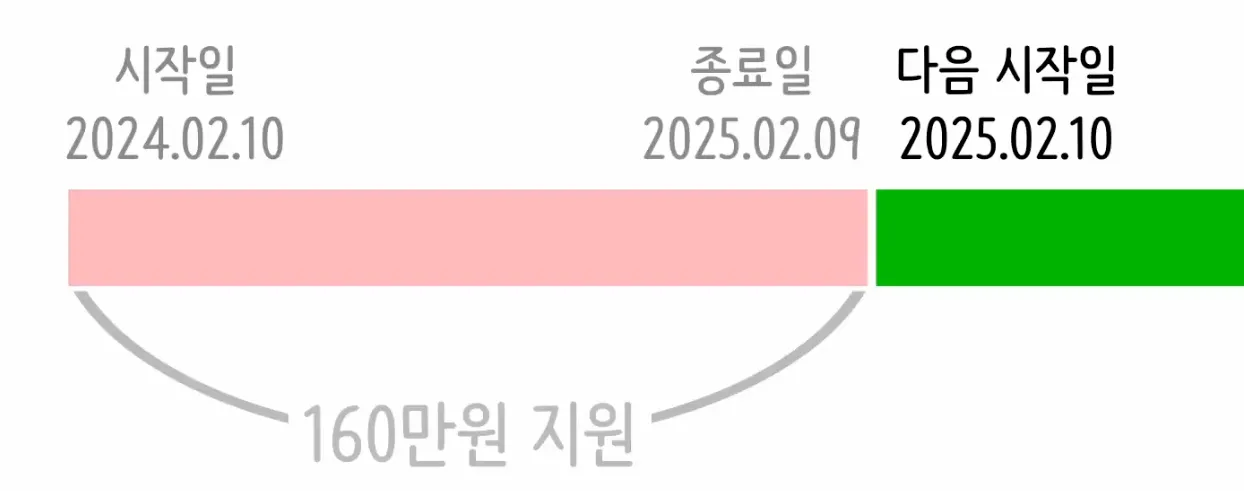
Rentals have quantity limits only during active specific periods, and annual limits also exist
The problem is that not only purchases but also 'rentals' exist. 'Rentals' have quantity limits only during activated specific periods. Moreover, the concept of annual limits also exists. These 'complex business logic' further have completely different restriction conditions for each beneficiary. To check what history a beneficiary has, you must login through the 'long-term care related institution', that is, the NHIS 'work portal'.
But logging into the work portal doesn't mean you're done. Many values are needed just to look up one person. And it's not just one or two products to check. You have to click through everything one by one. You have to click through 10-20 products and directly calculate in your head whether they're available or not. Naturally, human errors occur.
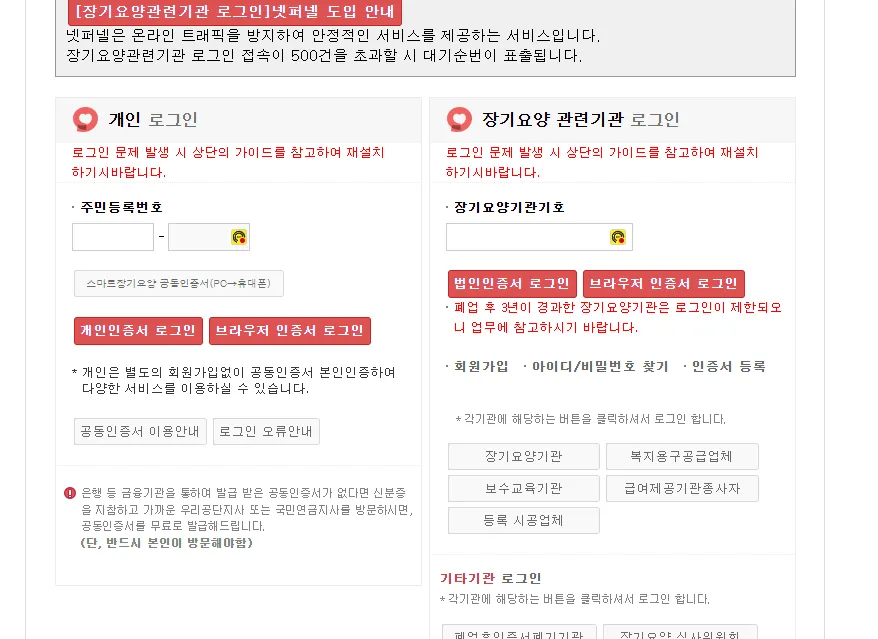
NHIS work portal login required - intranet environment requiring public certificate authentication
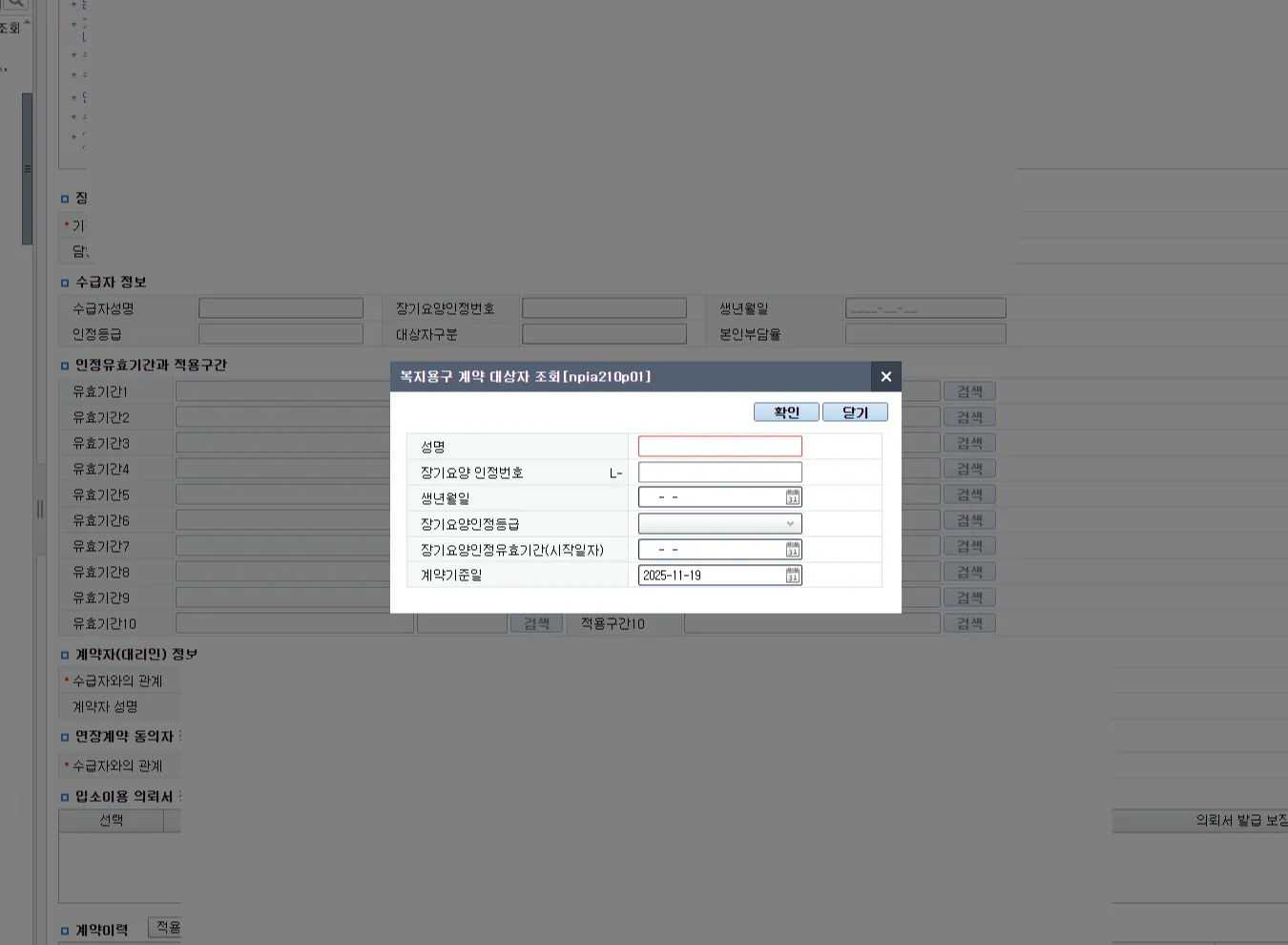
10-20 values needed just to look up one person - entering and checking one by one
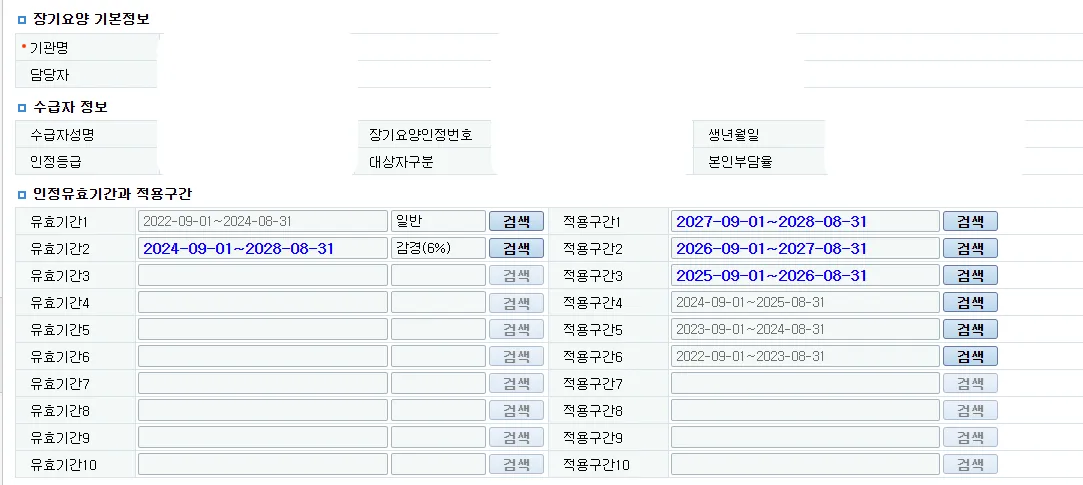
Contract history divided by periods - must look up each period individually
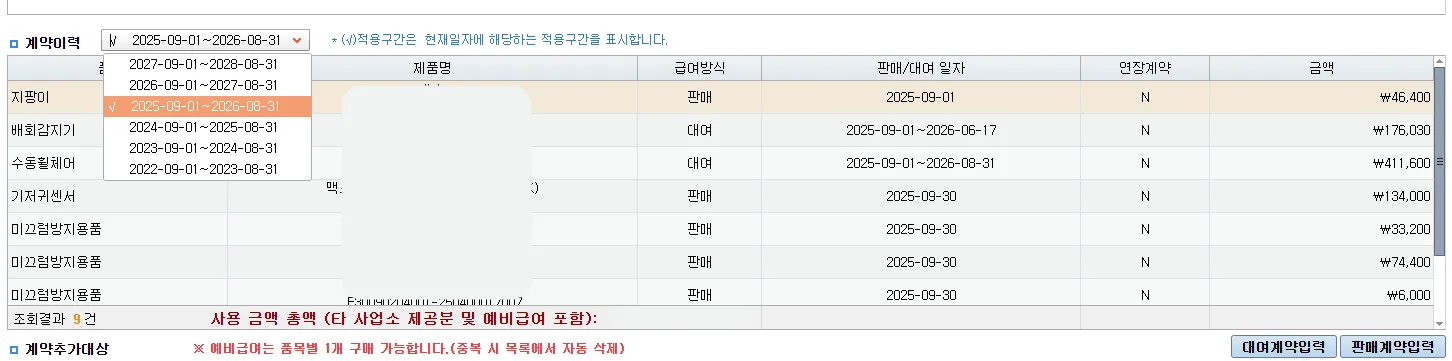
Manually checking multiple periods of contract history per beneficiary
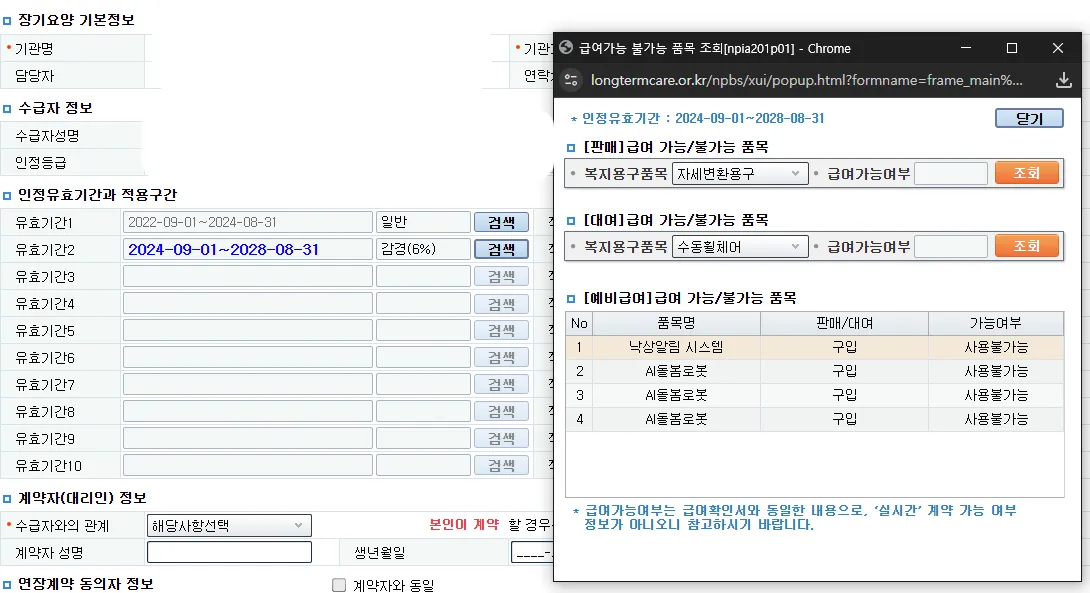
Items that beneficiary cannot purchase must also be looked up one by one separately
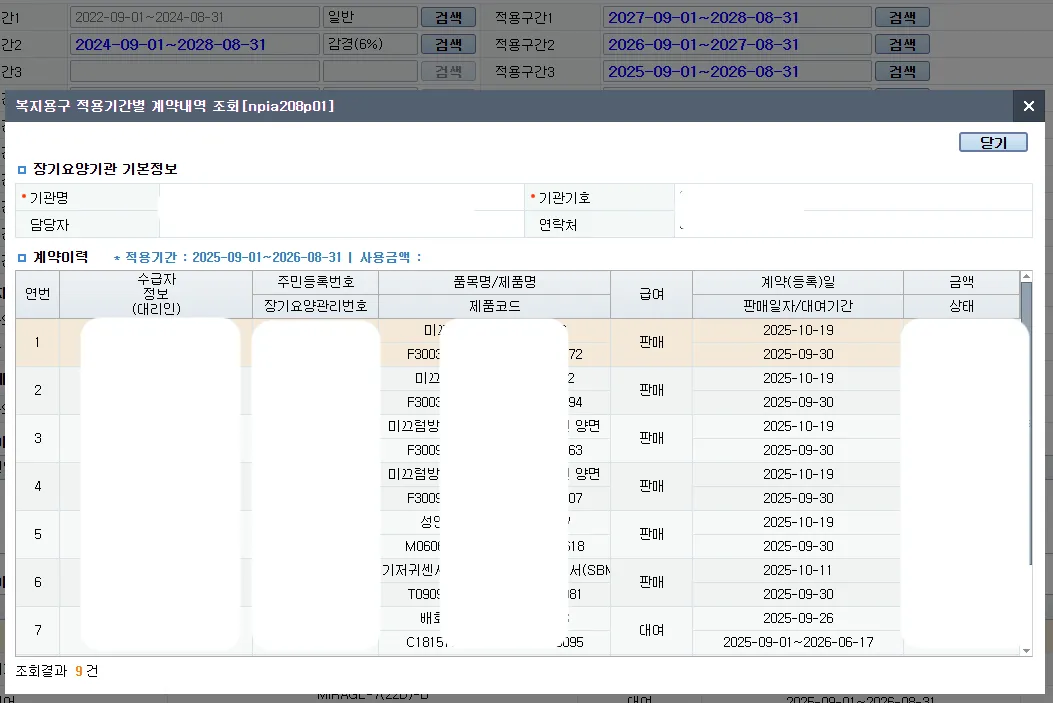
Whether it's rental, sale, or cancellation must also be looked up separately
“Checking one beneficiary really takes a long time. Logging into the government portal, clicking through everything, checking each period separately... The customer is waiting while I keep saying 'just a moment' and clicking. It's embarrassing. And if I make a mistake, it's a big problem. Is this really work for a human?”
— Welfare Equipment Franchise Owner
From government system analysis to complete automation
The client operated a welfare equipment franchise network. They wanted to solve this problem that each franchise faced daily. "Can this be automated?" To that question, we answered: "Analyze the government system and consolidate 50 lookups into one." In fact, such simple lookup logic based on complex business logic was perfectly fit for automation.
It wasn't smooth sailing. The first challenge was the government intranet. A secure system requiring public certificate authentication. It seemed impossible to access from outside. But we didn't give up. We performed detailed analysis of the NHIS's basic authentication and authorization logic. We dissected packets one by one to understand how authentication works and how sessions are maintained.
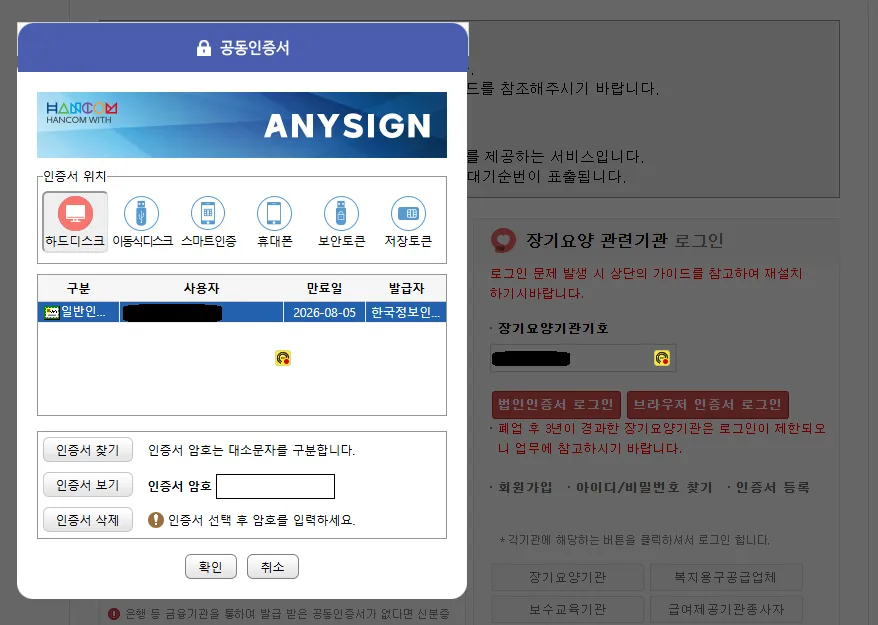
Packet analysis of NHIS intranet authentication and session management logic
After solving authentication, the real challenge began. To verify one beneficiary requires 50+ lookups. Purchase/rental availability by item, contract history by period, rental activation period, cancellation history, unpurchasable items... each requiring different pages, different API calls. How could we consolidate all these lookups into one? Moreover, the logic used for lookups was too extensive and dependent on external APIs, presenting many points to consider. We designed a system that sequentially calls external APIs, analyzes data, applies business rules, and processes it into a 'human-understandable format'.
So we built it in two directions. First, we aggregated all lookups - 50+ lookups - into a single query so that 'people' and 'field workers' could understand at a glance which items are available/unavailable. We converted complex business logic into an intuitive UI that field workers can understand.
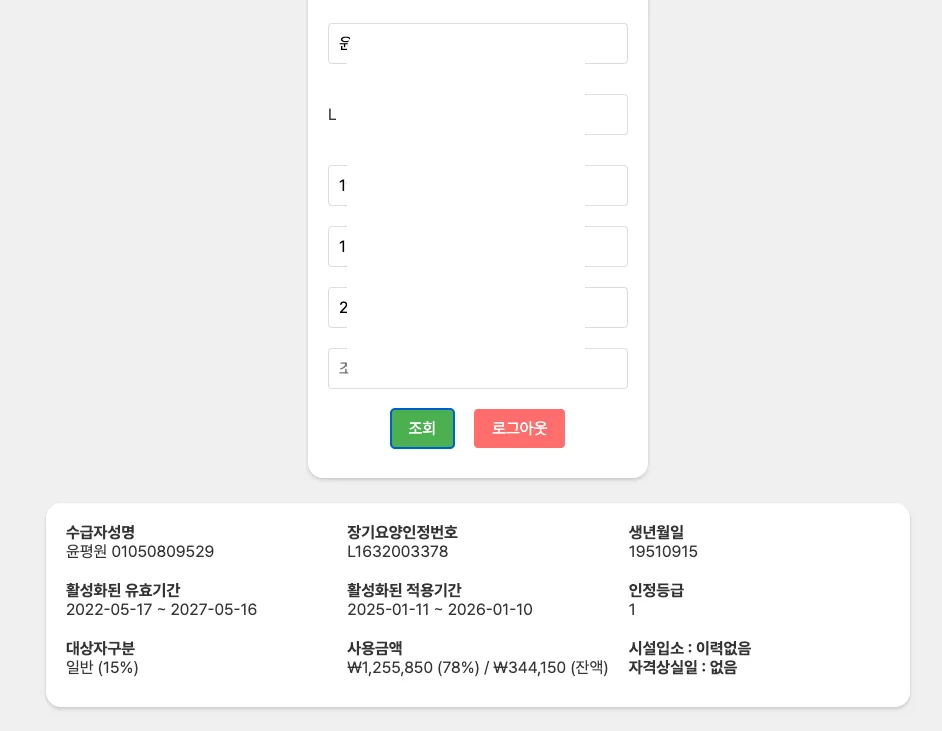
50+ lookups consolidated into single query - available/unavailable items at a glance
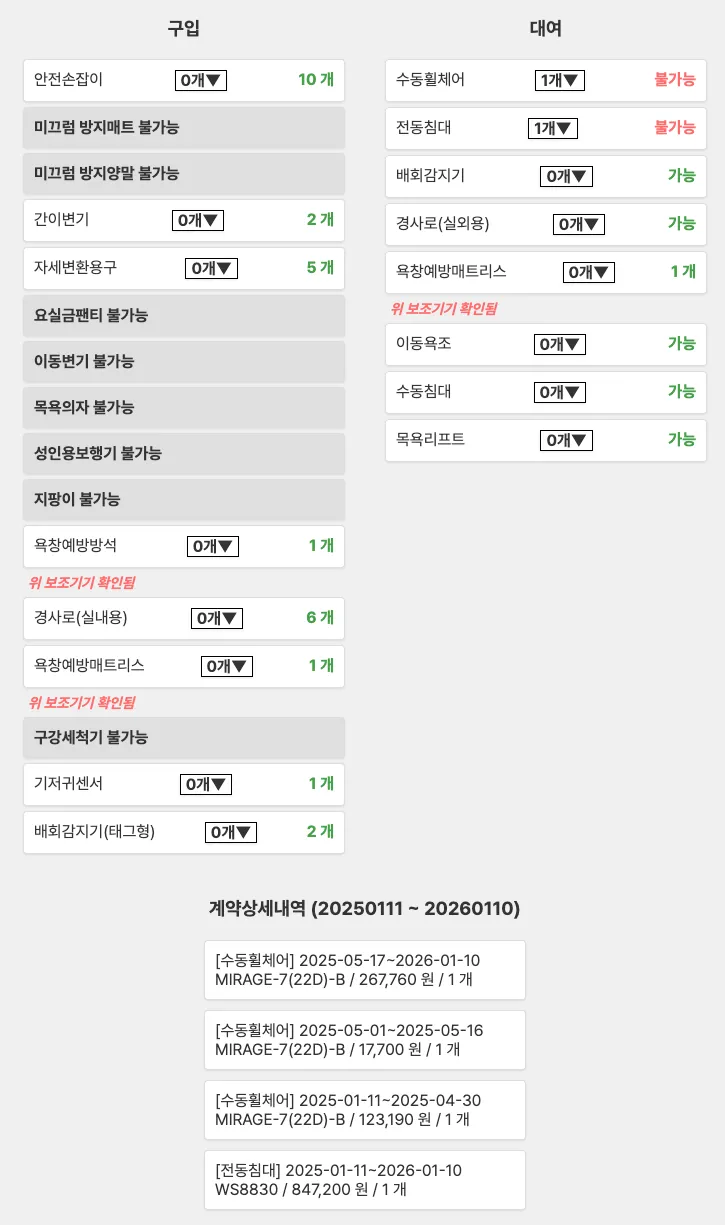
Detailed display of purchase/rental availability, remaining limit, restriction reasons by item
It's also developed as mobile responsive, so it can be viewed anywhere with internet access. Franchises aren't always at the office. They visit customers' homes and consult externally. So we developed responsive mobile design. Staff can look up beneficiary information on their smartphones. Check immediately on-site, guide immediately.
Naturally, for security, we created mobile number login (authentication and authorization) and a complete back office. Because we handle sensitive beneficiary information, thorough authentication and authorization were needed. Everything is logged - who looked up what information when - and permission management is systematic.
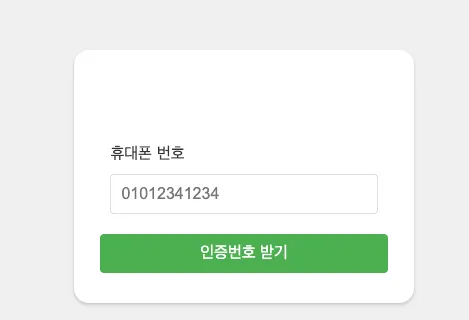
Secure login system based on mobile number verification
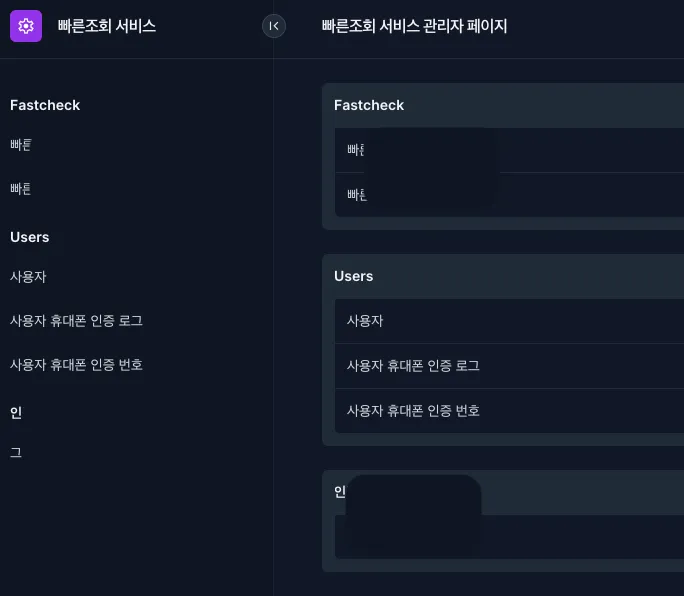
User permission management and lookup history tracking back office
And for easy integration with internal ERP, we created an aggregation API that can check all the above content through a single API endpoint, completely solving it in these two directions. Web screens alone might not be enough. We created a single API endpoint callable directly from ERP. An aggregation API containing all 50 lookup results. ERP developers just call this one API to receive all information.
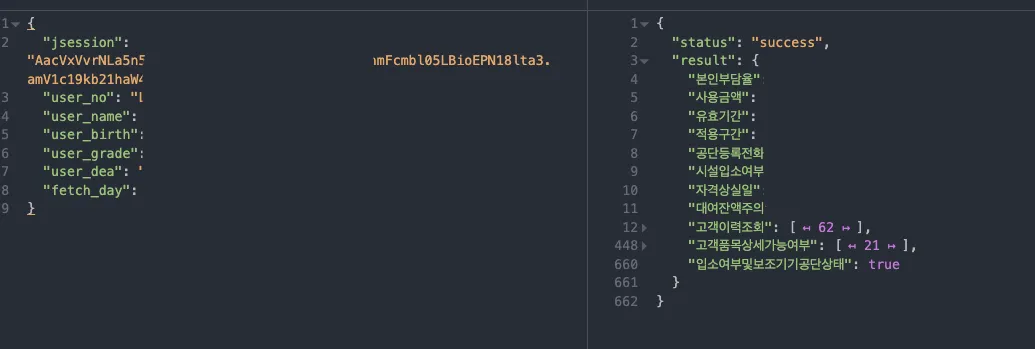
Single API endpoint - full ERP integration support
The overall system flow is complex, but users don't feel that complexity. Behind the scenes, government server login, user info lookup, multiple external API calls, big data analysis, qualification verification, item-by-item availability checks... countless steps proceed automatically. Users just enter beneficiary information.
← Scroll horizontally to view the chart
Full flow that automates 50 government server lookups from a single beneficiary info input
Consolidated the work of clicking 50 times on the government work portal into a single lookup. Automatically collects and analyzes all data behind the scenes.
Rental/purchase, activation period, limit amount, restriction reasons... visualize complex rules calculated in your head. Clear display of available items, unavailable items, and reasons.
Look up immediately on smartphone even while visiting customers. Real-time checking possible anytime, anywhere with internet.
Mobile number login, permission management, lookup history tracking. Safely protect sensitive information.
Single API endpoint callable directly from internal ERP. Provides all lookup results as structured data.
Mistakes disappeared, efficiency improved, and sales increased
This eliminated wrong sales or mistakes in selling welfare equipment. And customers can now easily know what they can buy, and franchise owners who sell welfare equipment can now provide necessary information to customers anytime, anywhere, eliminating the need for complex manual lookups. Ultimately, it directly impacted the requesting client company's sales growth.
In the past, with customers present, we'd say 'just a moment' and click for 15 minutes. Now we guide them in 10 seconds saying 'These items are available for you'. Customers say 'That's fast, you're accurate'. This builds trust.
When people click 50 times to verify, mistakes happen. Selling unavailable items causing problems later, or missing sales opportunities by incorrectly stating available items are unavailable. Now the system filters accurately, completely eliminating such incidents.
Now we verify immediately on smartphone even when visiting customers. Instead of 'I'll check at the office and contact you', we can say 'Let me check for you right now'. This often leads to contracts right on site.
Franchise owners unanimously say: 'Sales definitely increased.' Fast response, accurate guidance, immediate on-site verification. All this led to customer satisfaction, which led to sales growth. The entire network sales of the requesting client company noticeably grew.
“Honestly, I doubted if this could work. Accessing the government system from outside seemed impossible, and consolidating 50 lookups into one seemed questionable. But OTOworks really did it. Now franchise owners contact me saying thanks. That work became so convenient, sales increased too. This was exactly what we wanted.”
Welfare Equipment Distributor CEOCEO
Web Automation10 hours of daily pricing work reduced to zero. 200+ cosmetics products now auto-updated 24/7 with zero pricing errors across multiple e-commerce platforms.
 Document Automation
12 hours of document sorting cut to 7 minutes with 98% accuracy. AI-powered classification freed an evaluation consulting firm to focus on actual assessments.
 Data Collection Automation
30-50% faster alerts with 0% message loss. Real-time monitoring of 100+ Korean e-commerce sites built for North America's leading cook group community.
Do you think "Our work is too complex to automate"? This client thought the same at first. Let's talk - solutions become clear when we discuss together.