Process Automation

A day in a mid-sized manufacturer's purchase order team — documents are images, can't even copy

Food & Beverage Distribution

1+ hour daily purchase order processing reduced to one click. Image-embedded documents, vendor-specific Excel generation, price calculations, and ERP integration, all automated for a mid-sized F&B manufacturer.

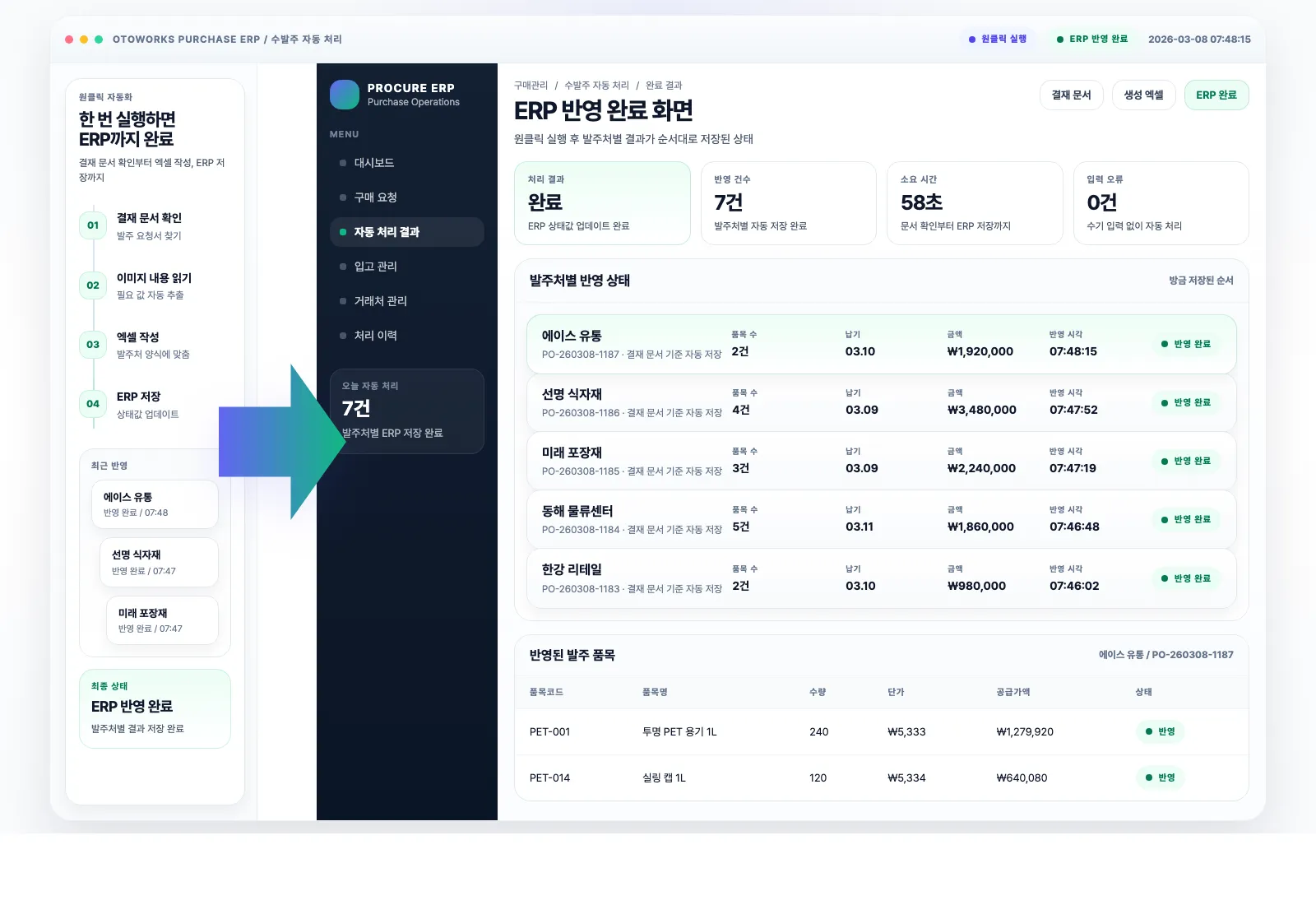
Visualization of the ERP completion screen after one-click purchase order automation

Reading purchase order documents by eye and typing into Excel — a mid-sized manufacturer's daily routine

Uncopiable image documents, different formats for every vendor, every mistake costs money

This company processes purchase and shipment orders through their internal groupware system. The core task was finding approved shipment documents from other teams, extracting data, and entering it into vendor-specific Excel templates for ERP upload. The problem: this entire process was 100% manual. Worse, the shipment request documents were embedded as images, making copy-paste impossible. Each vendor required different data fields and Excel formats, and some values like pricing had to be manually calculated.

Specific Challenges

  • Logging into the internal groupware every time to manually search for completed shipment-related approvals
  • Shipment request documents embedded as images, no copy-paste possible, requiring manual typing while reading the screen
  • Each vendor has different Excel upload formats with different key fields, requiring adaptation to each template every time
  • Not just transferring data, some fields require manual calculation (especially pricing where errors mean direct financial loss)
  • Even documents from the same vendor have subtle format variations, requiring careful attention every time
  • At least 1 hour daily, several hours during quarterly peaks, leaving no time for important decisions and vendor exploration

When I open a shipment document from the approval box, it's always embedded as an image. Can't copy anything, so I read the screen and type it all manually. Each vendor needs a different Excel format, and price calculations can't afford mistakes, so I verify two or three times. Spending at least an hour on this every day, sometimes several hours... I kept wondering, when am I going to do the work that actually matters?

Purchase Order Manager

We rebuilt the entire purchase order process

End-to-end automation from groupware approval box to ERP

We moved every manual step into the system. From groupware login to ERP integration, there's no point where a person needs to intervene. The person in charge presses one button.

First, we sat next to the staff and watched how they processed purchase orders every day. Log into groupware, search through completed approvals by date and title to find shipment-related ones, open the attached request.

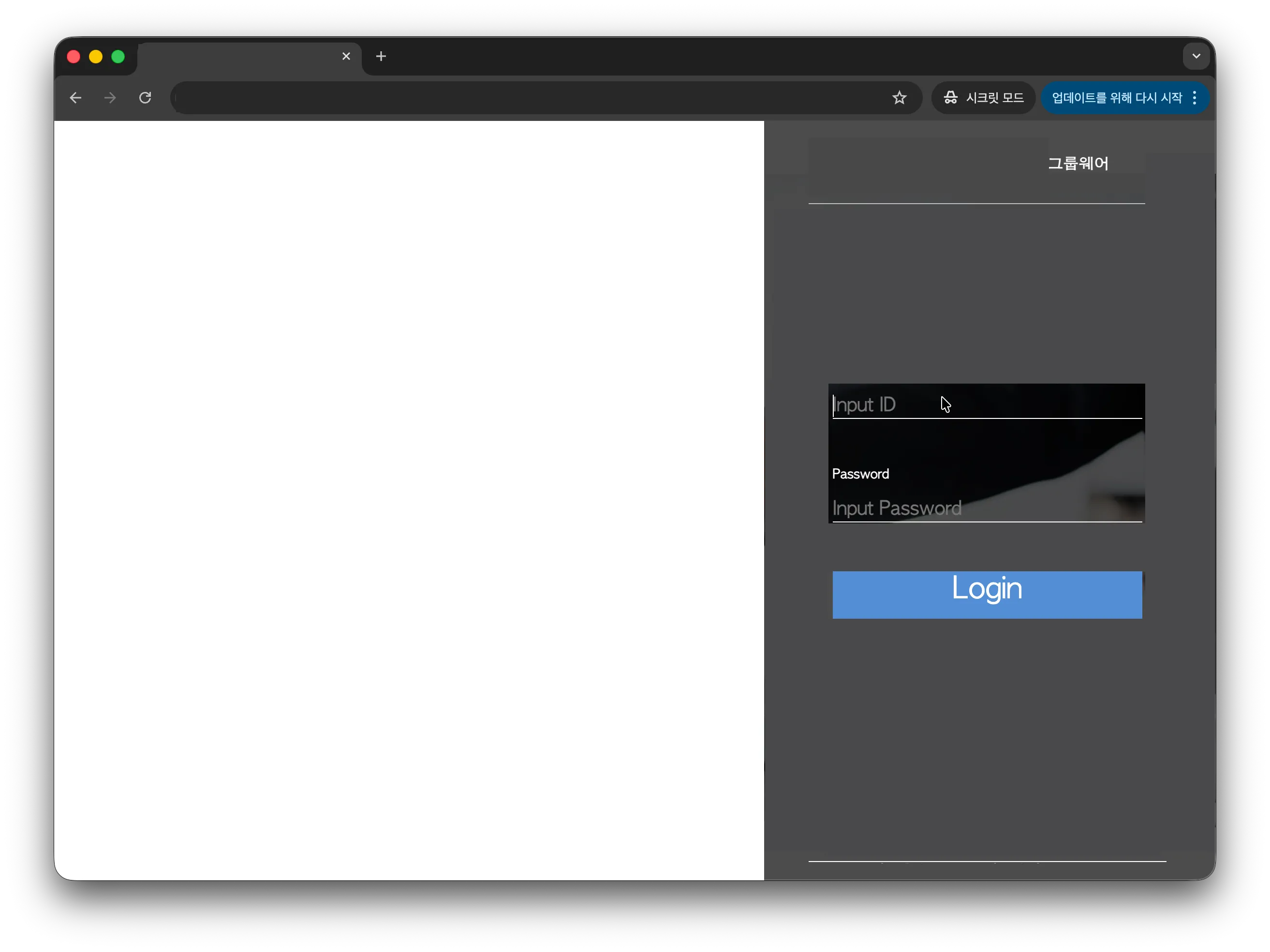
Internal groupware login screen

Where daily manual work starts: the groupware login

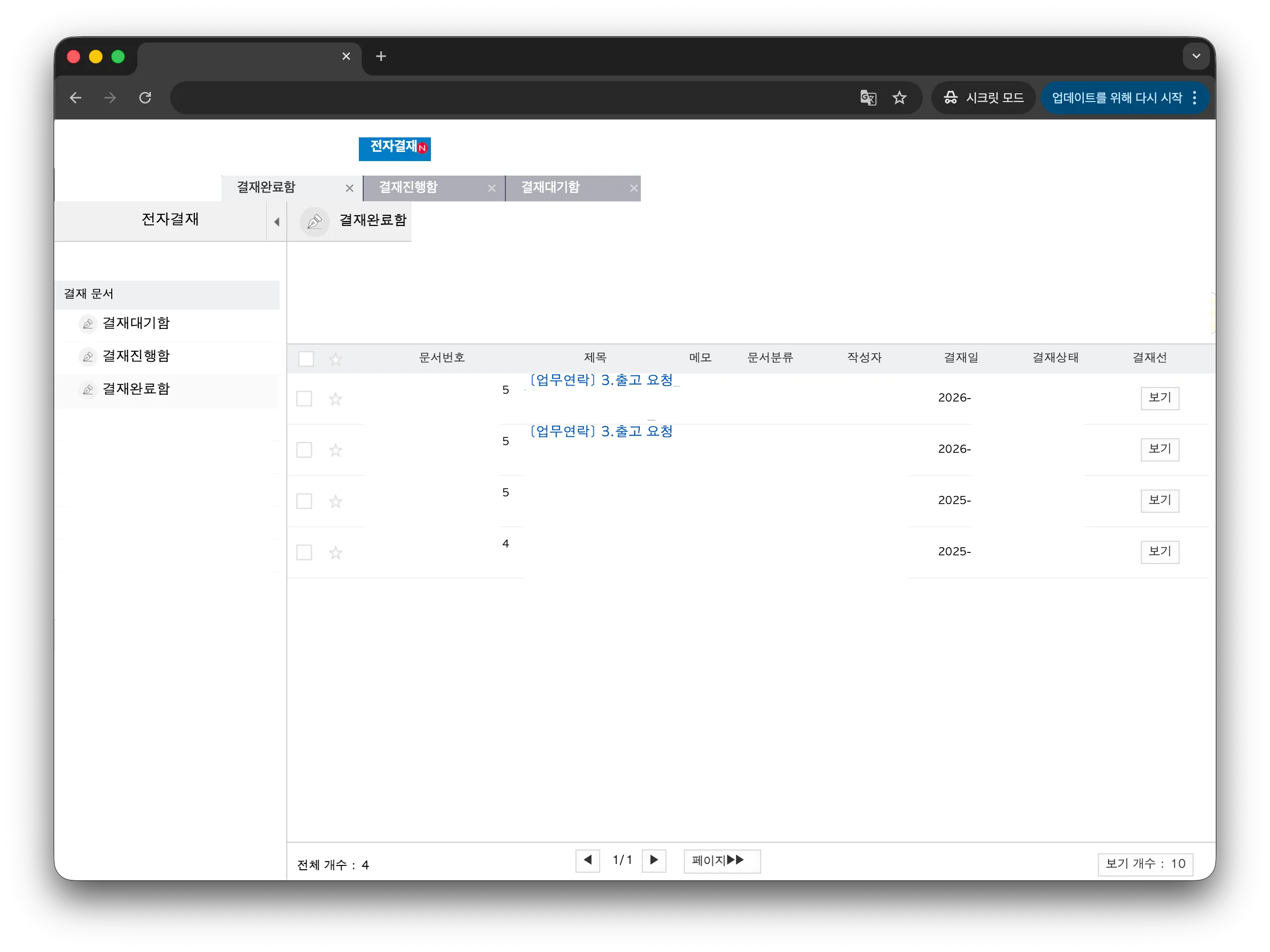
Searching for shipment-related approvals in completed documents list

Finding shipment-related items among numerous approval documents by date and title

The document was embedded as an image, impossible to copy. "You can't copy this?" we asked. "It always comes like this," they said. The staff was reading numbers on screen and typing them into Excel, one by one. And it wasn't just transcription. Some fields needed manual calculation, especially pricing. On top of that, every vendor needed different values in different formats. This was the daily routine.

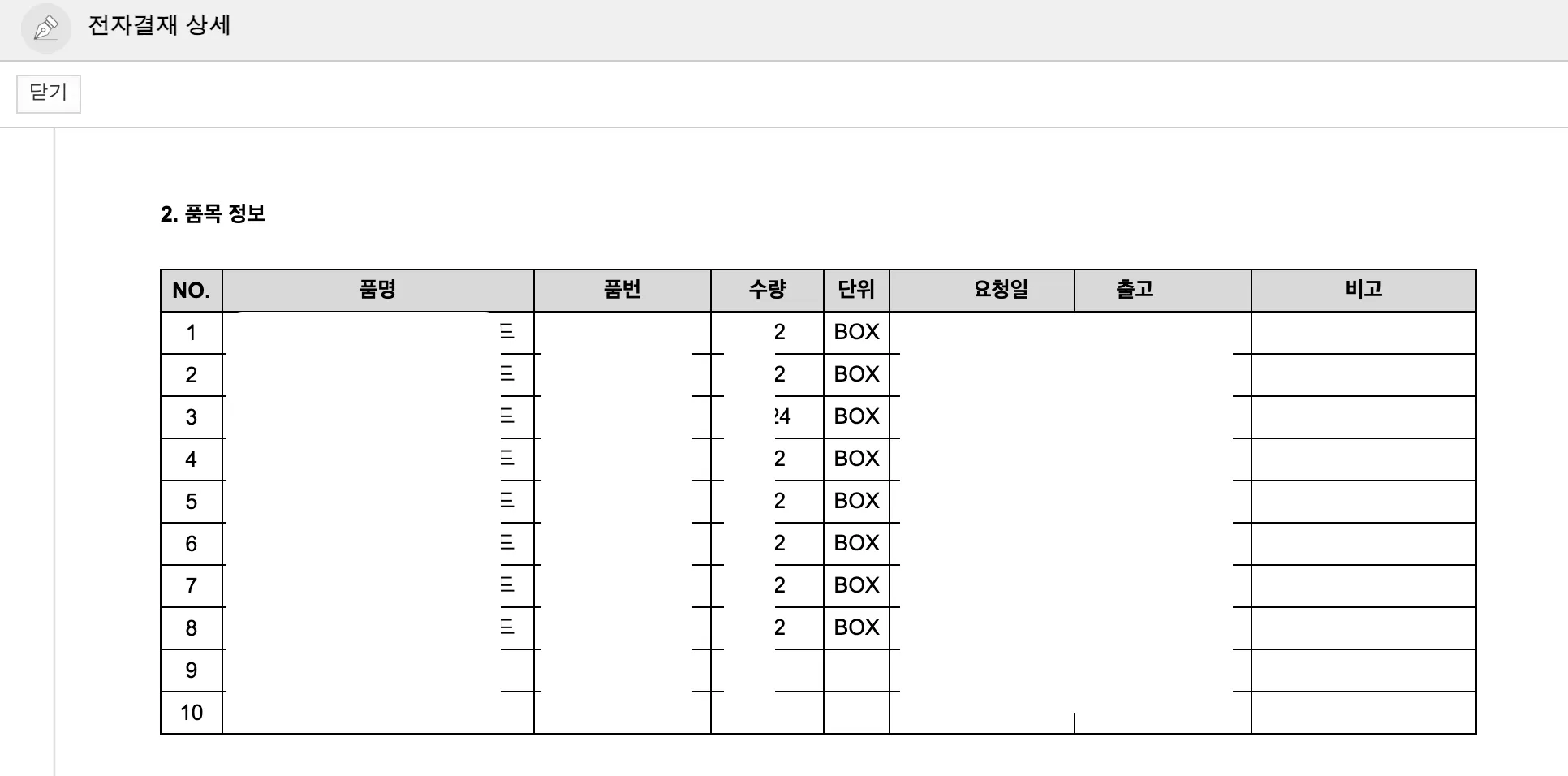
Shipment request document embedded as an image

Image-embedded documents with no copy-paste. All data must be read and typed manually

The first step was automatic groupware login. The internal groupware didn't have standard APIs, so we had to replicate the actual user flow. Once logged in, the system finds all shipment-related approval documents on its own. The manual process of checking dates and document titles one by one was gone.

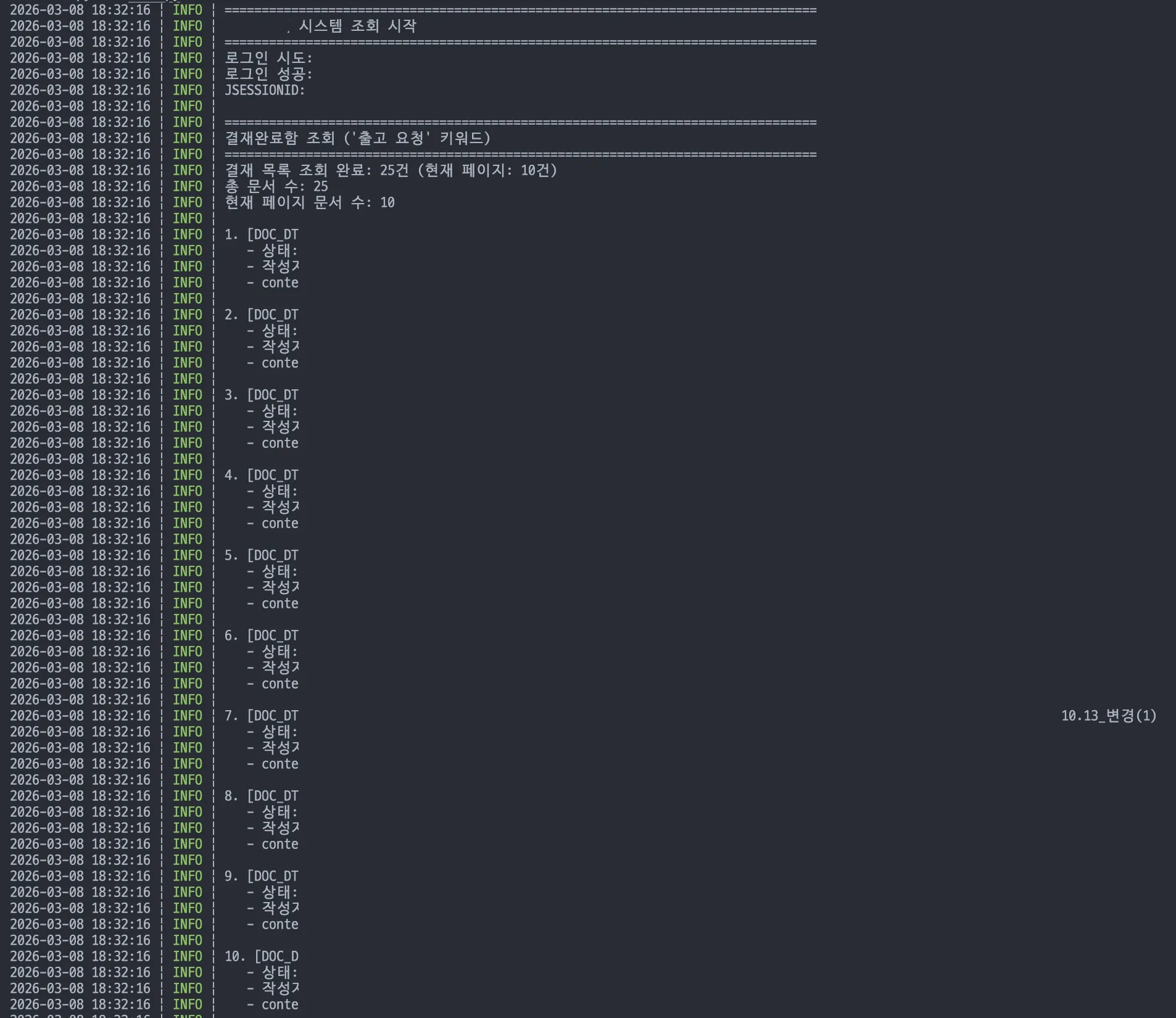
Automatically discovered shipment-related approval documents

After automatic login, all shipment-related approvals are found automatically

The real challenge was that each vendor required completely different data and Excel formats. Vendor A focuses on delivery dates and quantities, Vendor B on unit prices and totals. Hard-coding these differences would mean needing a developer every time a vendor changes. So we built a flexible configuration system. Staff can modify each vendor's key fields, fixed values, unit conversion rules, and date formats anytime. When we first showed the settings screen, the response was: "I can change this myself?" Yes, that was the whole point. Adding a new vendor? Just add a configuration. No developer needed.

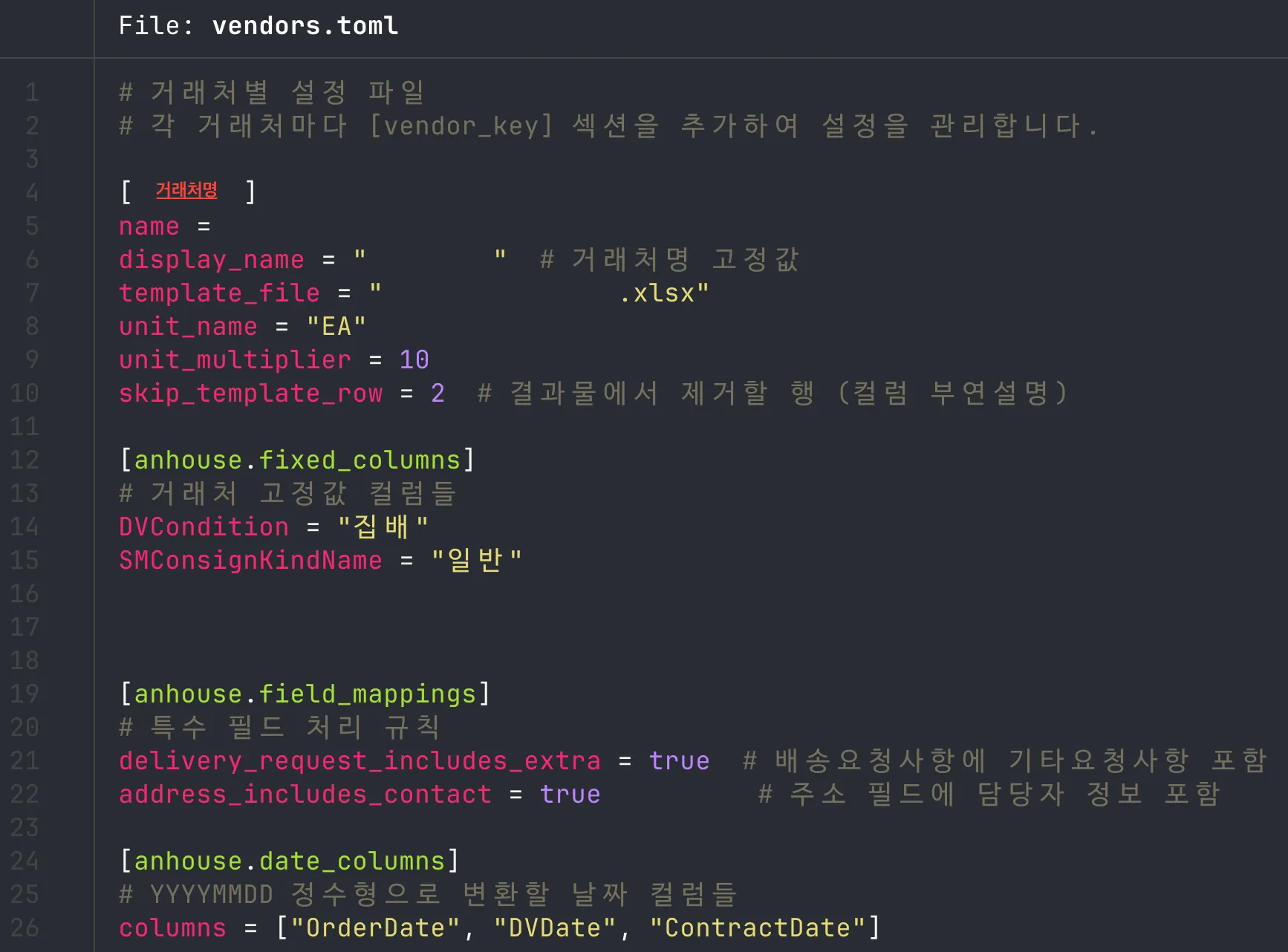
Flexible vendor-specific configuration interface

Staff directly manage vendor-specific key fields, fixed values, and conversion rules

Documents in the approval box had subtle format variations even from the same vendor. Date positions shifted, item orders changed, layouts differed slightly. Humans get tired of this. The intuition a person uses when reading a document — 'this number is probably the quantity,' 'that must be the unit price' — that heuristic judgment is what the LLM handles. We used multimodal AI combining natural language and vision processing, but we don't rely on LLMs alone. We combined our own data pre-processing and post-processing pipeline built through years of projects. Image text recognition, key data extraction, and vendor-rule-based transformation all run automatically.

← Scroll horizontally to view the chart

End-to-end flow from groupware login to ERP integration

Multimodal AI-based data extraction pipeline

Vision AI + NLP + proprietary pre/post-processing pipeline. Not relying on LLMs alone

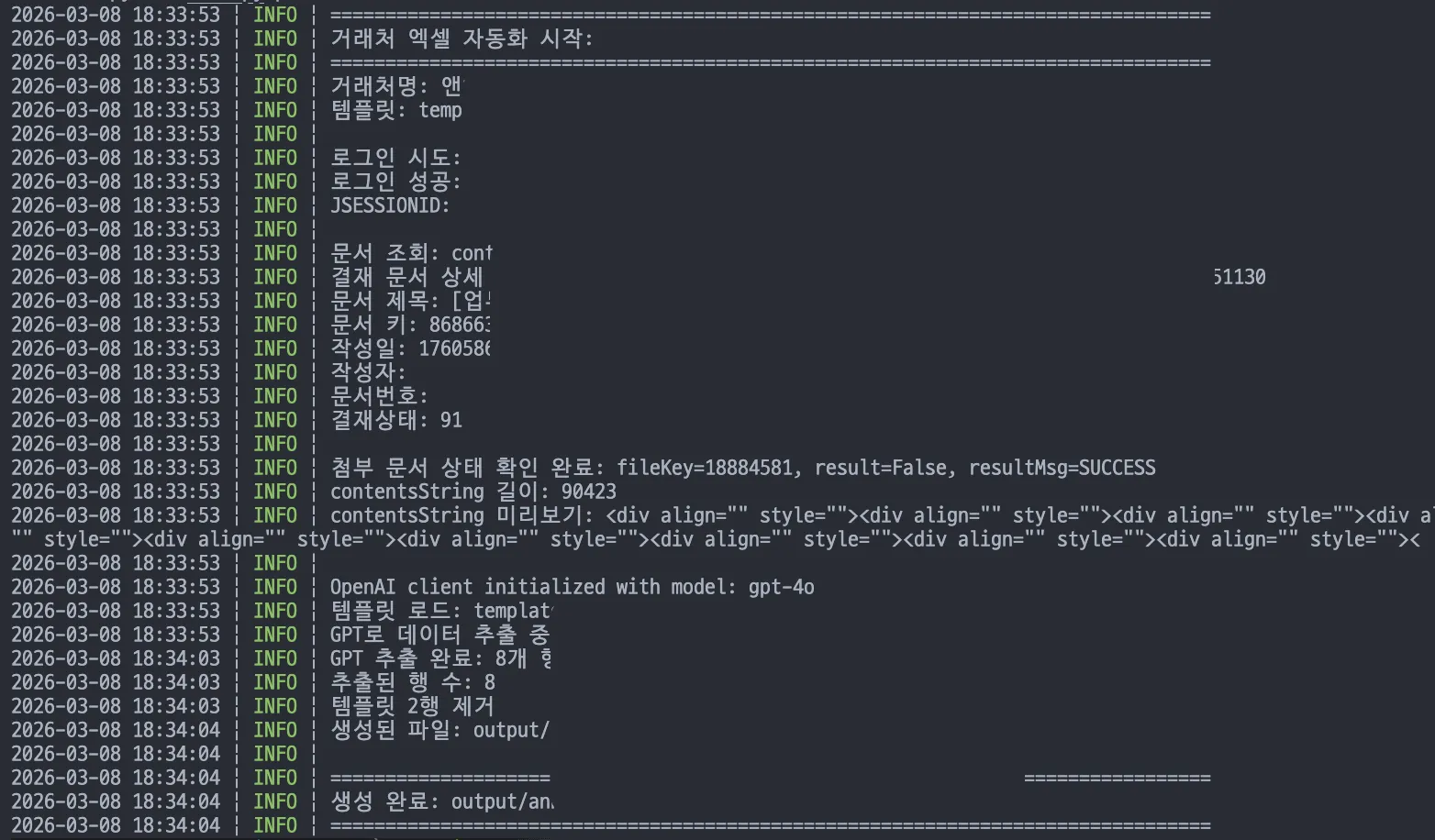
The final output is vendor-specific custom Excel files. Each file matches the vendor's upload format exactly. Date formatting, quantity unit conversion, fixed values, price calculations, all filled in automatically. The generated data also goes straight into the ERP system. When the staff asked, "I really just press this one button?" the answer was yes, that's it. A task that took over an hour daily, and several hours during quarterly peaks, now takes one minute.

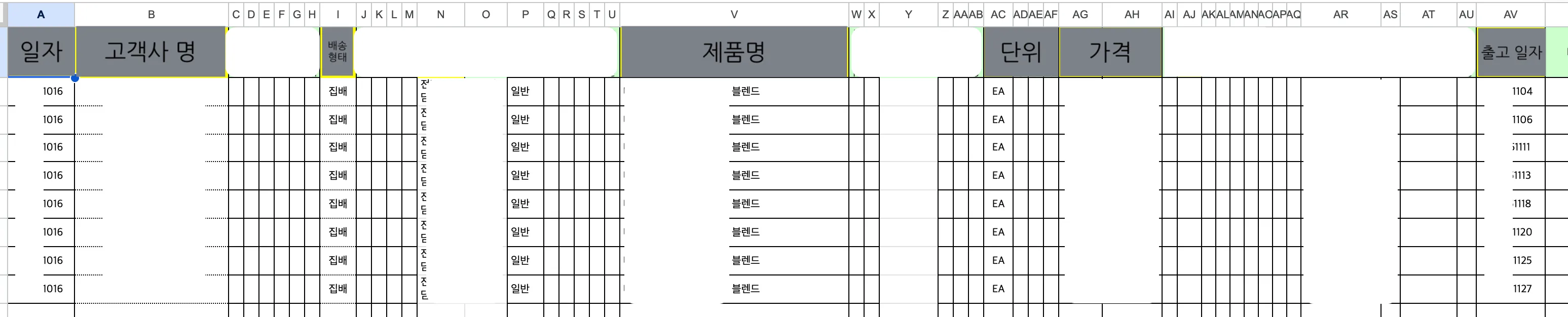
Automatically generated vendor-specific purchase order Excel

Excel files matching vendor formats, auto-generated. Dates, quantities, price calculations all handled

Core System Features

Automatic Groupware Integration

Automatically logs into the internal groupware and finds shipment-related documents in the completed approvals box. No more manual searching.

Flexible Vendor Configuration

Staff directly set and modify each vendor's key fields, fixed values, and conversion rules. Adding a vendor is just adding a configuration. No developer needed.

Multimodal AI Pipeline

Combines Vision AI and NLP to extract data from image documents. A separate pre/post-processing pipeline validates results instead of relying on LLMs alone.

Auto Excel Generation + ERP Integration

Vendor-format-matched Excel files are auto-generated and go straight into the ERP system. One button, entire process done.

Purchase orders are just one button now

Staff now do the work they were actually hired for

After the system went in, the daily routine changed. The morning ritual of digging through the approval box disappeared. That time now goes to comparing deal terms and scheduling meetings with new vendors.

1h × vendors → 1min
Manual Work Time
3 vendors meant 3 hours, 5 vendors meant 5 hours. Now regardless of vendor count, one click, one minute
0 cases
Data Entry Errors
Pricing and quantity mistakes from manual transcription completely eliminated
One Click
Processing Method
From login to ERP integration, entire process done with one button
Unlimited
Vendor Scalability
New vendors supported by adding configuration. No code changes needed

What Actually Changed

Time once spent typing now goes to strategy

Instead of transcribing numbers into Excel, the staff now compares vendor pricing and schedules meetings with new suppliers. The person who just 'processed' orders started thinking about order strategy.

Adding vendors is no longer a burden

Previously, more vendors meant proportionally more manual work. Now, just add the new vendor's settings in the configuration screen. Even with twice the vendors, processing time stays at 1 minute.

Pricing mistakes completely eliminated

When manually typing from image documents, mistyping a number was a matter of time. Price field errors meant direct financial loss. With the system extracting and calculating automatically, that risk is gone.

New vendor development is finally within reach

The time locked up in order processing came back in full. Vendor price comparisons, volume negotiations, new supplier development — things there was never time to even think about before.

Every day I'd open the approval box, find shipment documents, read image files and type numbers... Honestly, this wasn't supposed to be my entire job, but a significant chunk of my day went to this. After OTOworks automated the whole process, I now use that time to explore new vendors and negotiate better terms. I finally have room to do work that actually matters.

Purchase Order Manager
Mid-sized F&B Distribution Company

Still processing purchase orders by hand every day?

"Each vendor has different formats, documents are images that can't be copied..." Sound familiar? This client thought the same at first. Let's talk - solutions become clear when we discuss together.